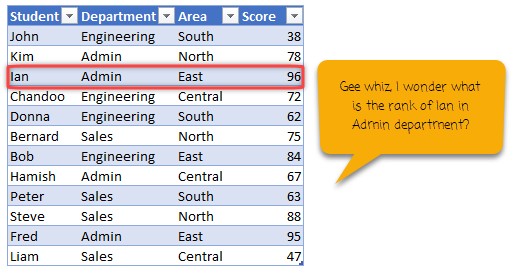
Yesterday, my mate from across the ditch, Hui posted about conditional rank formula (RANKIFS) using awesome SUMPRODUCT Of course, not everyone can whip up a sumproduct formula like that. On a scale of One to Hui of Excel awesomeness, you would need to be at least an H to write sumproduct or countifs formulas shown in that post. So does it mean, you can’t conditional rank if you don’t know your X from L? Don’t worry. We got you covered. You can still get your conditional ranks, without inception level array formulas. Simple, use pivot tables instead. Continue reading →
Hello friends, It’s here. Power BI Play Date – our online training program is now ready for your consideration. Please take a few minutes to read this to know all about the program. If you are ready to join, click here . Check out below show reel to see some of the reports you can create in our course. It is #AWESOME. Continue reading →
Remember in 1999 when the first Blackberry was released? It was revolutionary: a mobile device that instantly made you connected… Continue reading →
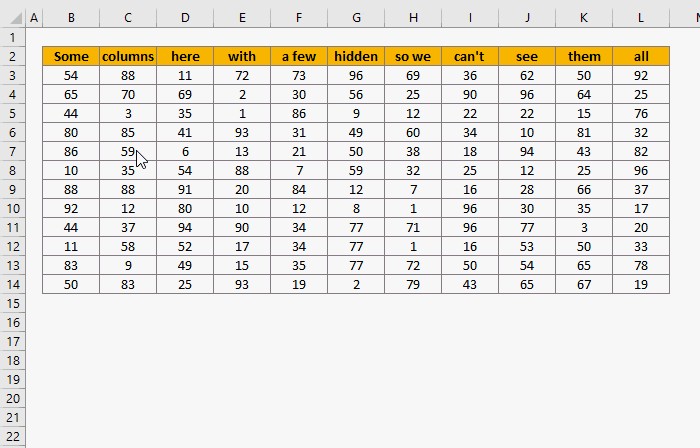
Here is something annoying with Excel. Open any Excel file with few columns of data. Hide some of those columns (select the columns and press CTRL+0). Now, copy a few rows of data. Paste it else where. Excel will paste the values in hidden columns too. We thought Excel would omit the values in hidden columns. What the filter Excel?!? I thought we were friends, but you annoy me with some of these quirks. Continue reading →
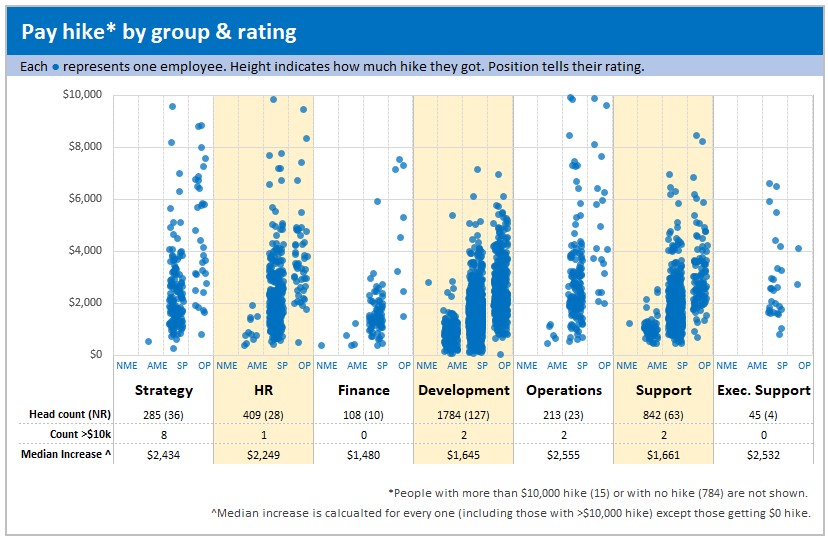
Game for some charting awesomeness? Off late, I have been doing a lot of data analysis and visualization on performance ratings, salary hike, gender pay equality etc. Today let me share you an awesome way to visualize massive amounts of data. Scenario: Your organization of 3,686 people recently went thru annual performance ratings & review process. At the end of it, everyone was offered some salary increase (from $0 to $24,000 per year). You have 7 business groups. How do you tell the story of all these salary hikes in one chart? How about the one above? Ready to know how to create this in Excel? Read on. Continue reading →